Know if your salon made money this month, not just how much came in
Revenue on its own does not tell you whether the month worked: salaries, a leased car, rent, all of it has to come out first. SalonMawid turns the appointments you already record into a straight answer, what your team costs, and the day the month actually paid for itself.
Revenue isn’t the same as profit
The number that actually matters is what is left over
A strong revenue week can still be a losing month once salaries, a leased car and rent come out of it, and working that out by hand means pulling numbers from three different places every time you want to check.
SalonMawid keeps the whole picture in one place: what the team costs, what fixed costs add on top, and the day your takings actually crossed that line, all computed from the visits you already log.
“Salaries plus rent plus the car, against what the month actually earned, and the exact day it crossed over.”
What the break-even card answers, every monthHow it actually works
From what she costs to what the month owes
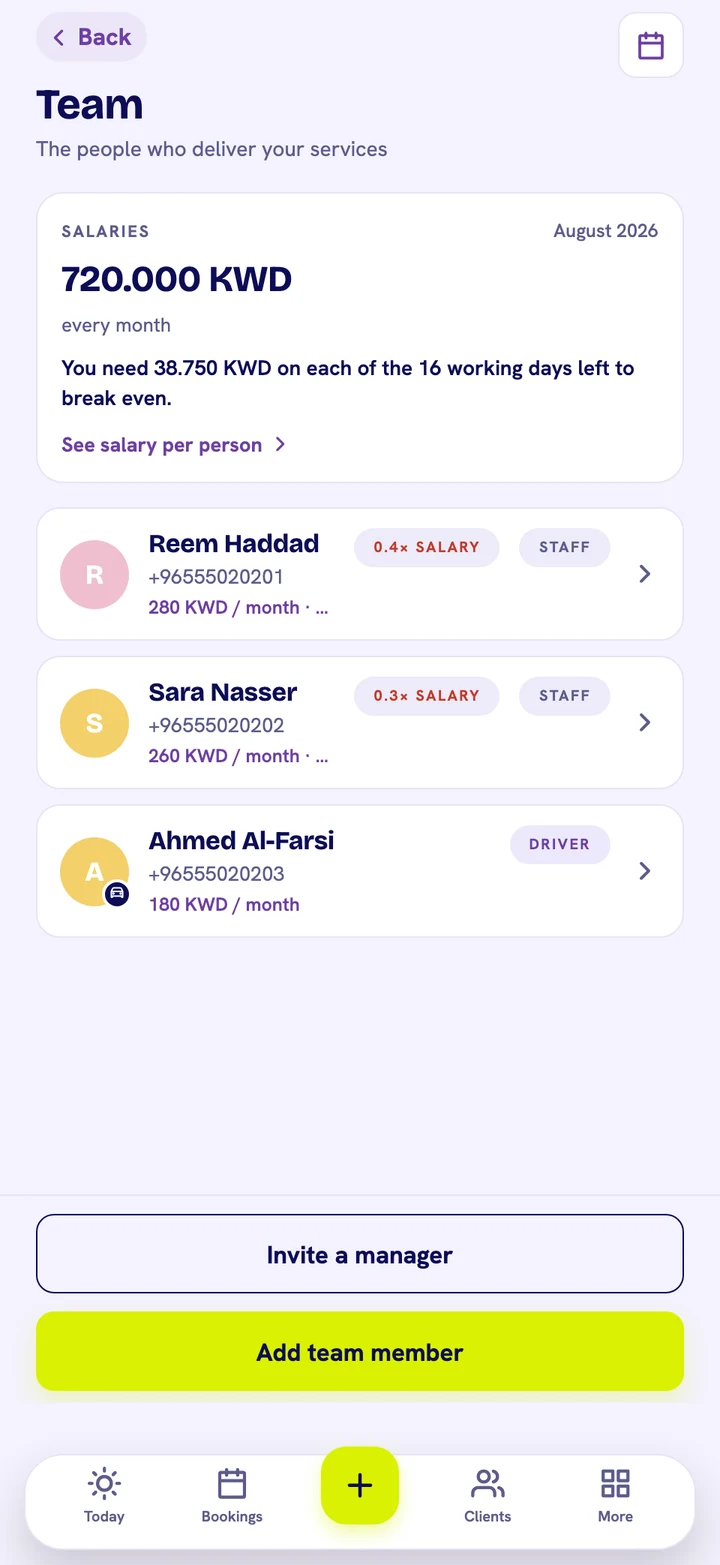
720 KWD
One number for the whole team, every month
See what your team costs to run this month in one figure, a flag if anyone's salary still is not set, and, ranked by revenue, exactly what each person brought in against what she costs, with how many times over she has covered her own salary.
Know the exact day the month pays for itself
Add your fixed costs once, rent, a leased car, a licence, and SalonMawid adds them to your salaries to set the real monthly target. Watch the day you cross it, or the day you are on course to, and exactly how much you need on each day left to get there.
See which services actually pay for themselves
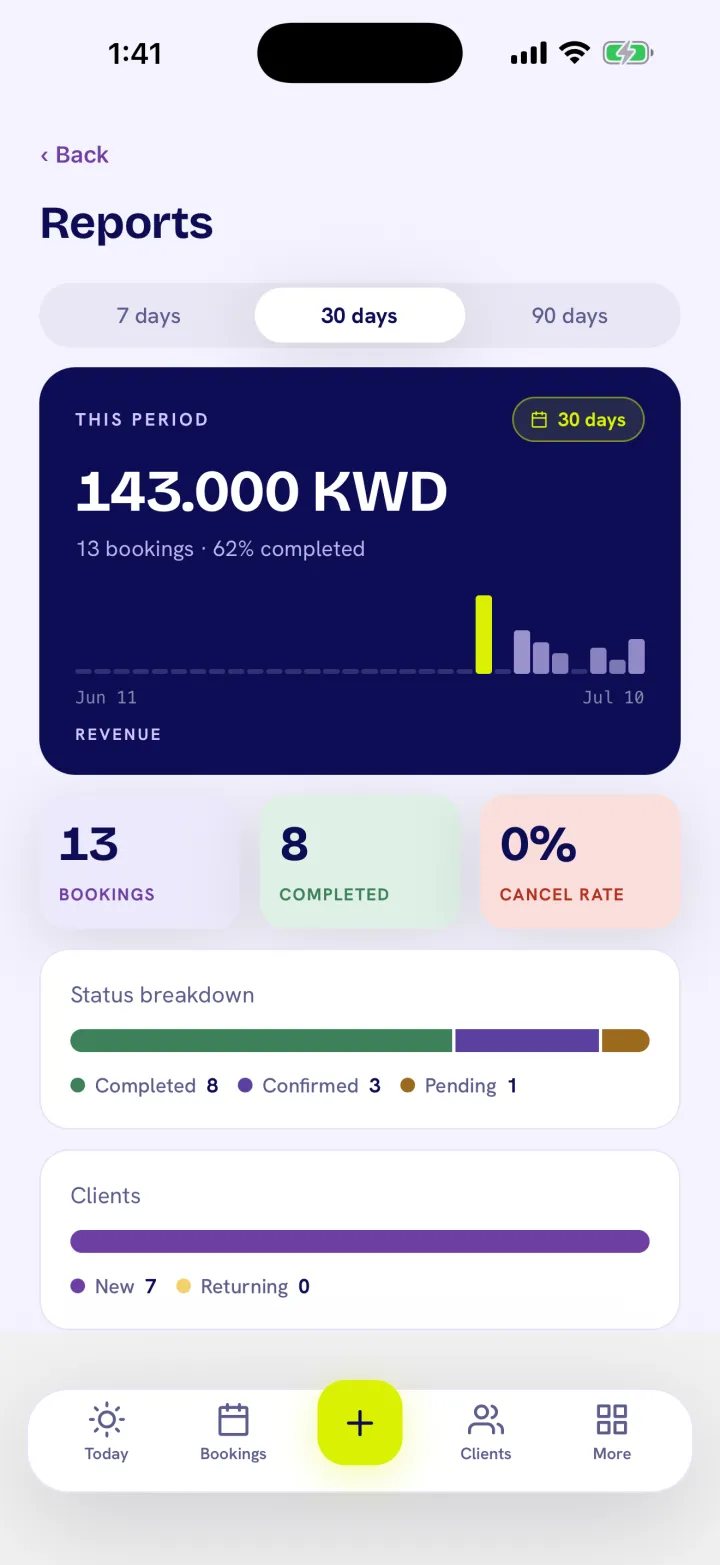
The average ticket, what a visit costs to put on the road, and the margin on every service you sell, so you know which ones are worth pushing and which are barely covering their own cost.
The same tools, in your hands
Where the numbers live inside your day
Payroll, on TeamBreak-even, next to ReportsEvery visit feeds the numbers
Start your 14-day free trial, no card required
Payroll and break-even come with every plan, we help you get fully set up within a day.
Only you, the account owner. A Manager login is also an admin, but salary figures and the break-even numbers stay hidden from anyone who is not the owner, a Manager's Team and Reports screens simply do not show them.
What exactly does the payroll card show?
The whole team's monthly cost in one number, a flag if anyone's salary is still unset, and a per-person breakdown: what she costs, how much revenue she brought in that month, and how many times over she has covered her own salary.
How is break-even calculated?
Your monthly target is salaries plus whatever fixed costs you add, rent, a leased car, a licence. As the month's takings come in, SalonMawid tracks the day you actually crossed that number, or projects the day you are on course to, and tells you how much you need on each remaining working day to get there.
Do I have to enter payroll numbers myself?
Salaries are set once per team member on the Team screen, and fixed costs are a short list you add yourself. Everything else, visits, revenue, cost per visit, service margins, is computed automatically from the appointments you already record.
Is this a paid add-on?
No. Payroll and break-even come with every plan, including Free. It is not gated behind a paid tier, only behind being the account owner. See the full plan comparison on the pricing page.